Leave Freshdesk.
Keep every conversation.
Connect with an API key and check every record before anything moves. Then bring your tickets, notes, attachments and Knowledge Base to a self-hosted help desk that doesn't charge per seat.
Check everything
before anything moves.
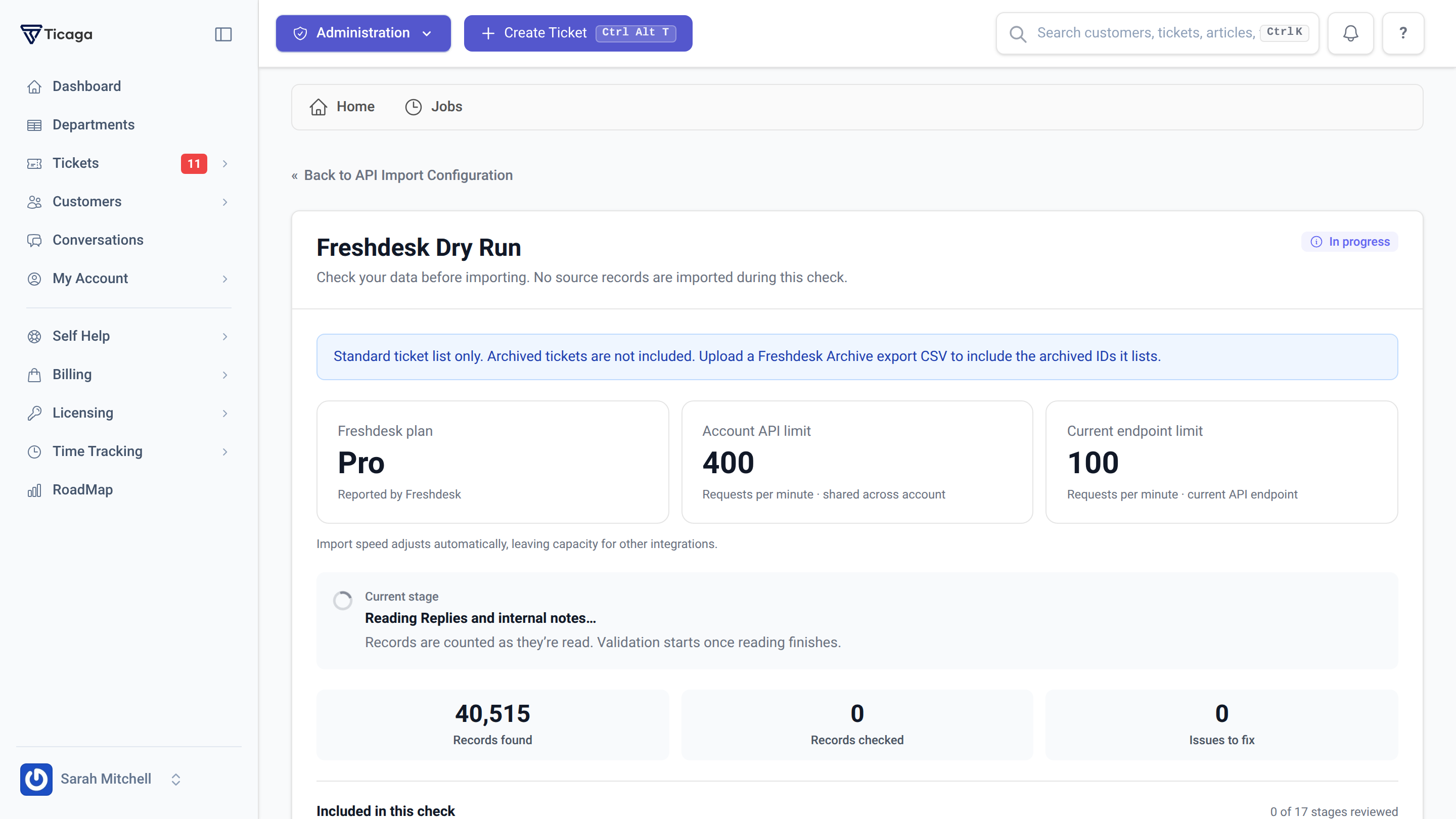
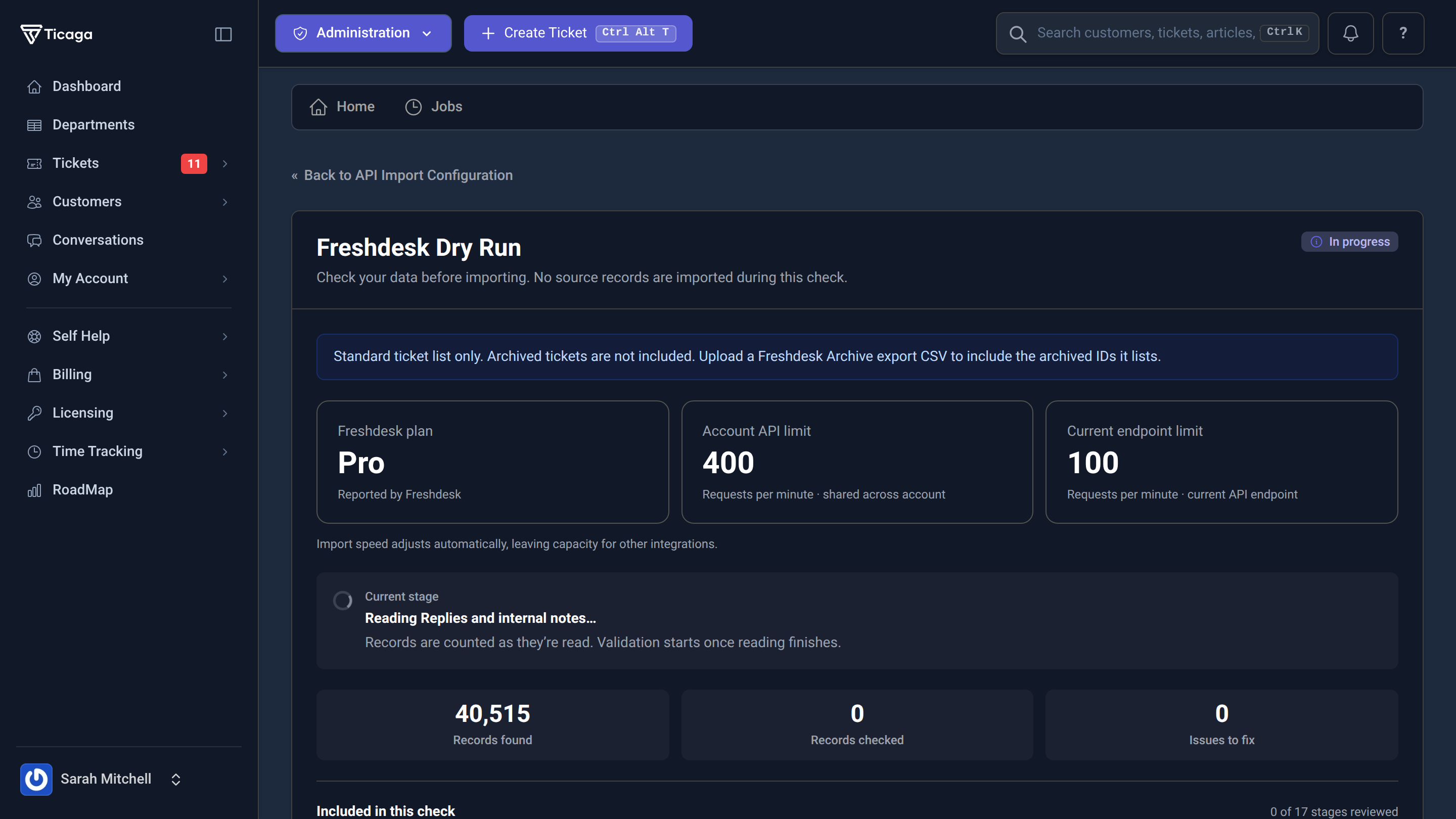
The dry run reads your whole Freshdesk account and validates every record without importing any of them. You see exactly what will come across, and anything that needs fixing, while Freshdesk is still running as normal.
- 17 stages, from departments and mailboxes to replies and attachments
- Your Freshdesk plan and API limits, read straight from Freshdesk
- Import speed adjusts to the limit and leaves room for your other integrations
- Progress is saved: pause, sign out, and pick it up again from Jobs
Your whole help desk,
not just the tickets.
Each part of your Freshdesk account is read and checked as its own stage, in the order Ticaga needs it, so replies always land on the right ticket and the right customer.
Every reply, in order.
Tickets come across with their full history: the opening message, every customer and employee reply, and tags.
Internal stays internal.
Freshdesk private notes are imported as internal notes in Ticaga. They are never shown to the customer.
Attachments that keep working.
Attachments and inline images are downloaded into Ticaga, so nothing breaks when your Freshdesk account closes.
Customers and your team.
Customers, contact custom fields and their values, plus your employees and departments, so ownership carries over.
How you work, too.
Mailboxes, business hours, canned responses, ticket custom fields and their values, and billing products.
Your help articles.
Knowledge Base categories and articles move into Ticaga's Knowledge Base, ready for your customers to search.
A clear answer
before you commit.
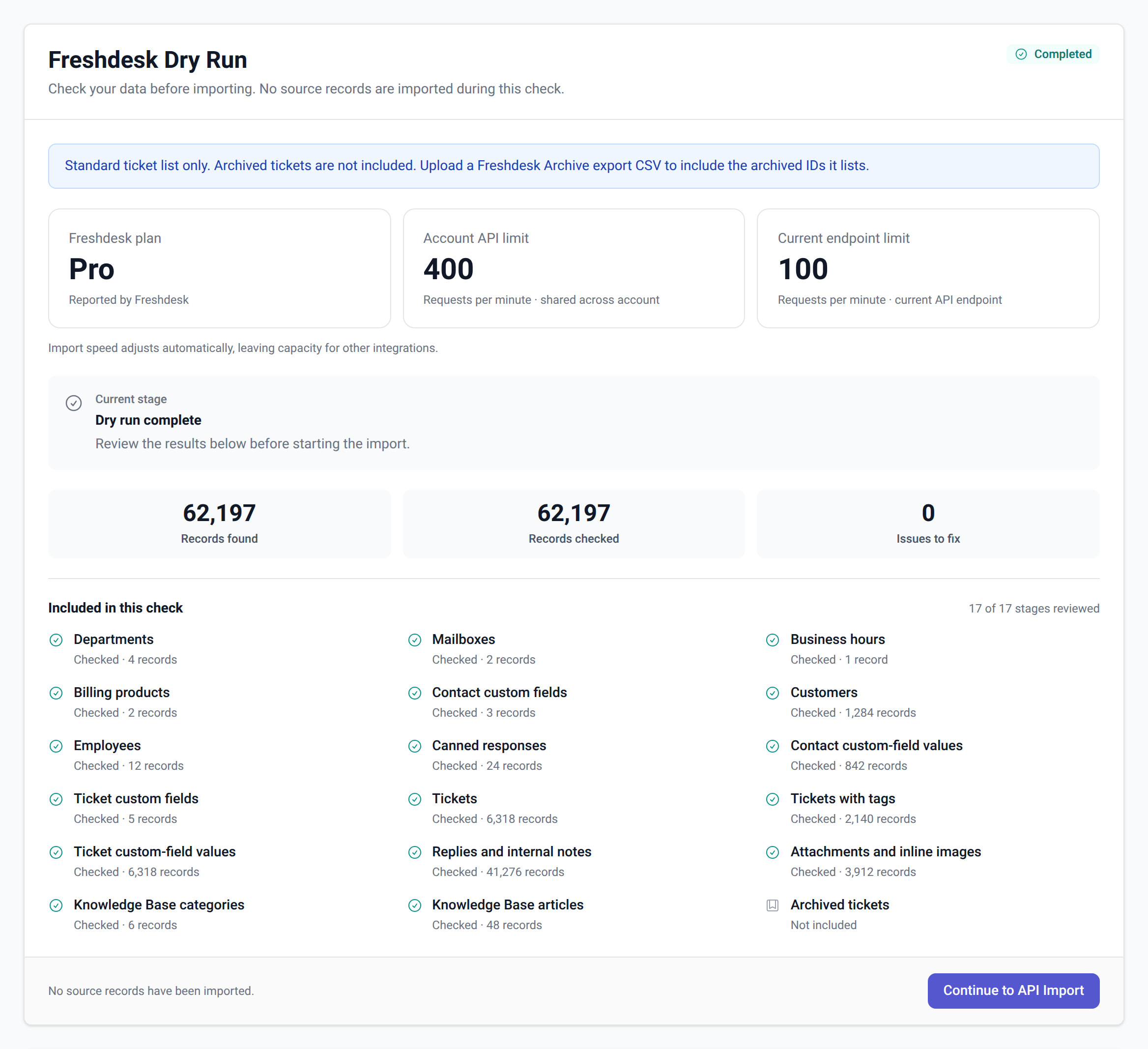
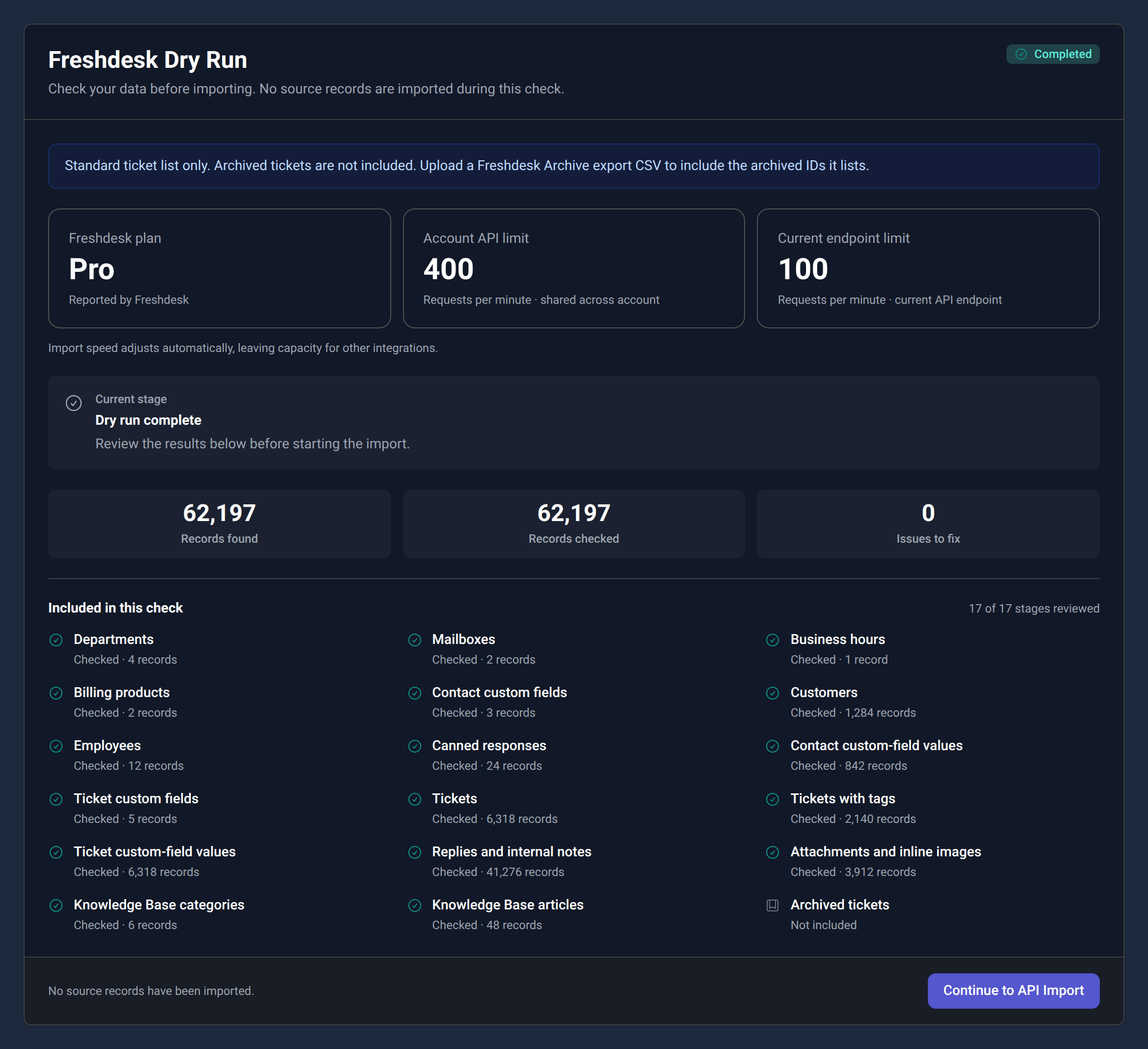
When the dry run finishes, every stage shows how many records were found and whether they passed. If something needs attention, the record and the reason are listed, so you can fix it in Freshdesk and run the check again.
- Records found, records checked and issues to fix, per stage
- Records that depend on a failed one are flagged as blocked
- No source records are imported during the check
- Happy with the result? Continue straight to the import from the same screen
Older tickets, on your terms.
Freshdesk can archive old closed tickets, and archived tickets don't appear in its standard ticket list. Ticaga tells you this up front rather than leaving you to find gaps later.
To bring them across, export an archive CSV from Freshdesk and upload it with your import. Ticaga reads the archived ticket IDs it lists and includes those tickets in the normal stages.
Four steps. No downtime.
Freshdesk keeps working the whole time, so your team can carry on answering customers until you're ready to switch.
Install Ticaga.
Run Ticaga on your own server. The Data Importer is included.
Connect Freshdesk.
Enter your Freshdesk address and API key, choose what to bring across, and test the connection.
Run the dry run.
Check every record and fix anything flagged. Run it again as often as you like.
Import.
Continue to the import from the dry run. Progress is saved between batches, so it can be paused and resumed.
Before you switch.
Does the dry run change anything in Freshdesk?
No. It only reads from Freshdesk, and it doesn't import anything into Ticaga either. It counts and validates your records so you know what the import will do.
Will it slow down my Freshdesk account?
Ticaga reads your plan's API limits from Freshdesk and paces itself to stay under them, leaving capacity for your other integrations. If Freshdesk asks it to wait, it waits and carries on automatically.
What happens to private notes?
They're imported as internal notes. Employees see them on the ticket as before; customers never do.
Is Ticaga priced per agent?
No. Ticaga core licences aren't charged per seat, so you can add employees without the licence price going up. See pricing for the options.
What if the import is interrupted?
Progress is saved between batches. Reopen the job from Jobs, even after signing back in, and it continues from where it stopped.
Moving from somewhere else?
The Data Importer also supports SupportPal, Zendesk, Help Scout, osTicket, WHMCS and Blesta, with CSV for everything else. See the comparison.
Check first. Then move.
See the importer in the demo, then run a dry run against your own Freshdesk account.